Think it.
Say it. Done.
One hotkey. Your words are transcribed, transformed,
and pasted anywhere on your Mac.
3x faster than typing. Works offline. 100% private.
Free forever with local models. No account required.
Try it now
No install needed. Hit record, speak, see the magic.
Experience Koe
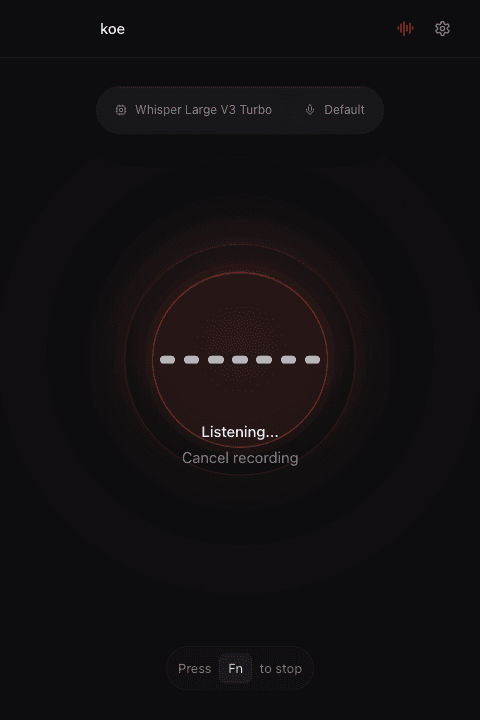
Tap the microphone or press Space to start.
Your voice, supercharged
Any app. Any text field. One hotkey - your voice becomes text, translations, clean prose, or anything you configure.
Vibe Coders
Talk to Claude, Cursor, ChatGPT. Describe features, explain bugs, dictate prompts - Koe cleans and formats your words before they hit the chat.
“I ship 3x faster since I stopped typing prompts.”
Writers & Creators
Draft articles, capture ideas, write scripts. Dictate in French and get polished English. Stack transforms to get exactly the output you need.
“My first drafts write themselves now.”
Builders & Hackers
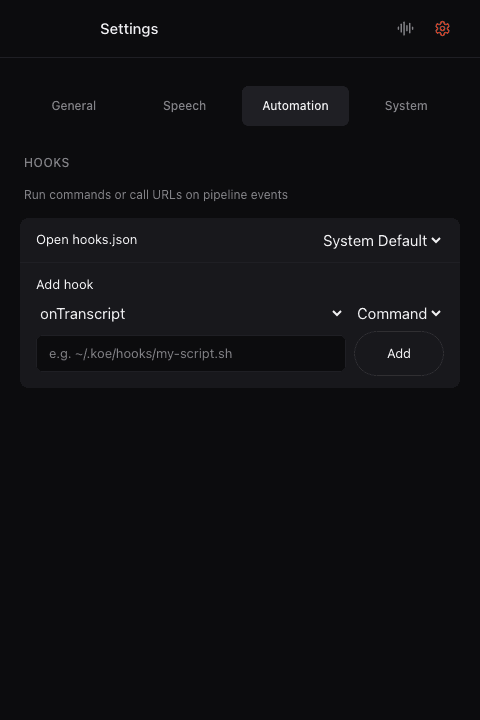
Pipe your voice through custom hooks - shell scripts, HTTP webhooks, anything. Koe is a voice utility you can wire into your workflow.
“I hooked it into my translation API. Speak French, paste English.”
From messy speech to clean text
AI transforms clean, format, and translate your words automatically.
You say
“ok so basically um the the meeting went well uh we agreed to launch the feature next tuesday and uh john will handle the backend part and sarah takes frontend”
Koe pastes
The meeting went well. We agreed to launch the feature next Tuesday. John will handle the backend, Sarah takes frontend.
More than dictation
Transcribe, transform, translate, and deliver - all before your words reach the page.
Speed & Accuracy
Instant Transcription
Your words appear the moment you stop speaking. Near real-time transcription that feels like magic.
95%+ Accuracy
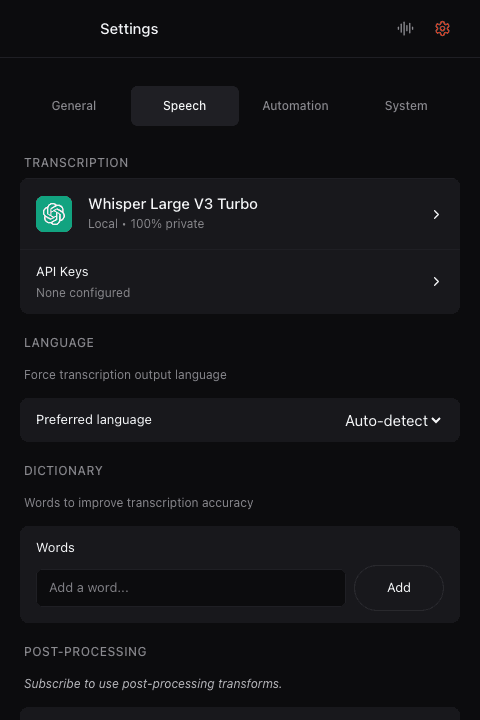
Powered by Whisper, Voxtral, Parakeet, and Moonshine. Auto-detects your language - no need to switch settings.
30+ Languages
Auto-detects and transcribes any language. Mix languages freely in the same sentence. Translate on the fly.
AI Power
AI Transforms
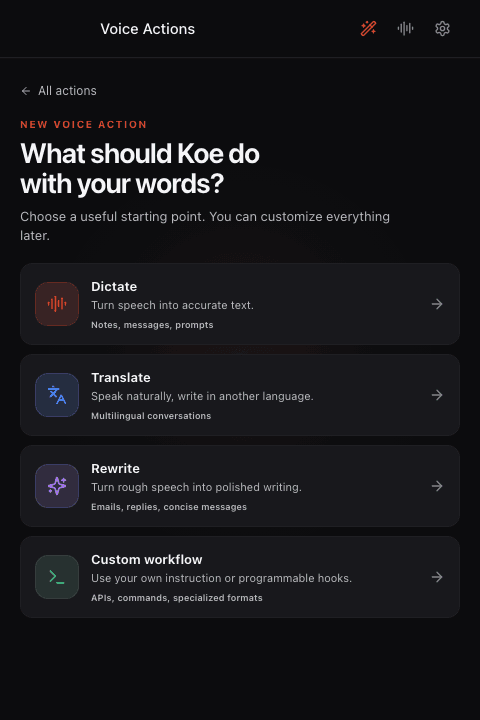
Clean filler words, fix formatting, summarize, translate, or run a custom prompt. Stack transforms - speak French, get polished English markdown.
5+ Models
Whisper, Voxtral, Parakeet, Moonshine, SenseVoice - pick the best model for your language and use case. Bring your own API keys or use local models.
Flexibility
Works Offline
Bad WiFi, airplane mode, middle of nowhere - doesn't matter. Local models run entirely on your Mac. Always works.
Hackable with Hooks
Wire Koe into your workflow with custom hooks. Run shell commands, call HTTP webhooks, or pipe transcripts to any tool via JSON config.
Works with all your apps
Koe pastes directly into any text field. No integrations to configure, no plugins to install.
Your voice stays yours
Unlike Apple Dictation, Koe always makes it clear where your data goes.
Local mode
Audio never leaves your Mac. Zero network calls.
BYOK mode
Audio goes directly to your provider. We're never in the middle.
Pro mode
Pass-through proxy only. We never store, read, or process your audio.
No telemetry
No analytics, no tracking, no usage data collected. Ever.
Zero friction
No learning curve. No complex setup. Just speak.
Download
Drop Koe in Applications. Launch. Done.
Hold & Speak
Hold the hotkey anywhere. Speak naturally. Think out loud.
Release & Done
Your words are transcribed, transformed, and pasted - right where you need them.
Simple pricing
Free forever with local models or your own API keys. Pro for zero-config cloud transcription.
Free
Local or cloud models, your choice
- Local models (Whisper, Parakeet, Moonshine)
- Cloud models with your own API keys
- 100% offline & private in local mode
- No account needed
- Custom hooks & webhooks
Pro
We handle everything
- Everything in Free
- No API keys needed
- Unlimited cloud transcriptions
- AI post-processing (clean, format, summarize, translate)
- Custom dictionary for names, jargon & technical terms
- Always latest models
- Priority support
Questions? Answers.
Is my voice data private?
Completely transparent. In local mode, your audio never leaves your Mac. In BYOK mode, audio goes directly from your machine to the provider you chose - we are never in the middle. In Pro mode, audio passes through our server to reach provider APIs, but we are just a proxy: we never store, read, or process your audio. Unlike Apple Dictation, which sometimes processes locally and sometimes sends to their servers without telling you, Koe always makes it clear where your data goes.
Is Koe free?
Koe is free to use with local models (100% offline) or with your own API keys. For hassle-free cloud transcription without managing API keys, Koe Pro is available at $9.99/month with unlimited transcriptions and AI post-processing.
Does it work offline?
Yes. Koe includes local models (Whisper, Parakeet, Moonshine) that run entirely on your Mac. Download once, use forever - no internet required. Perfect for travel or secure environments.
How accurate is the transcription?
Koe supports state-of-the-art models including Whisper, Voxtral, Parakeet, and Moonshine. Most users report 95%+ accuracy for clear speech in quiet environments.
Does it support multiple languages?
Yes. Koe auto-detects your language - no need to switch settings between French, English, Spanish, or any other language. Unlike Apple Dictation, you can freely mix languages in the same sentence.
What is AI post-processing?
Pro subscribers can apply AI-powered transforms to their transcriptions: clean up filler words, fix formatting and punctuation, summarize to key points, translate into 30+ languages, or apply a custom prompt. Transforms are cumulative - you can stack them for exactly the output you need.
Which Macs are supported?
Koe works on macOS 12 (Monterey) and later, on both Apple Silicon (M1/M2/M3/M4) and Intel Macs. Apple Silicon Macs offer the best performance for local transcription.
Koe says microphone permission is required, but I already granted it?
After updating or reinstalling Koe, macOS may invalidate the microphone permission. Go to System Settings > Privacy & Security > Microphone, toggle Koe off then back on. Alternatively, run "tccutil reset Microphone fm.koe.desktop" in Terminal, then relaunch Koe.
Your voice is faster than your fingers.
Transcribe, transform, translate - one hotkey, zero friction.
Requires macOS 12.0 or later